The best notes are the ones the next person can use.
A visit can produce measurements, photos, questions, and promises about timing. If the useful details stay in a notebook until Friday, the office cannot help with follow-up. Record the context close to the visit and make the next step explicit.
What this looks like in practice.
Prepare before the appointment
Review customer details, prior messages, and the reason for the visit. Confirm the scheduled time and any access instructions. A prepared conversation begins with the customer’s actual request rather than repeating questions already answered to the office.
Capture the useful context
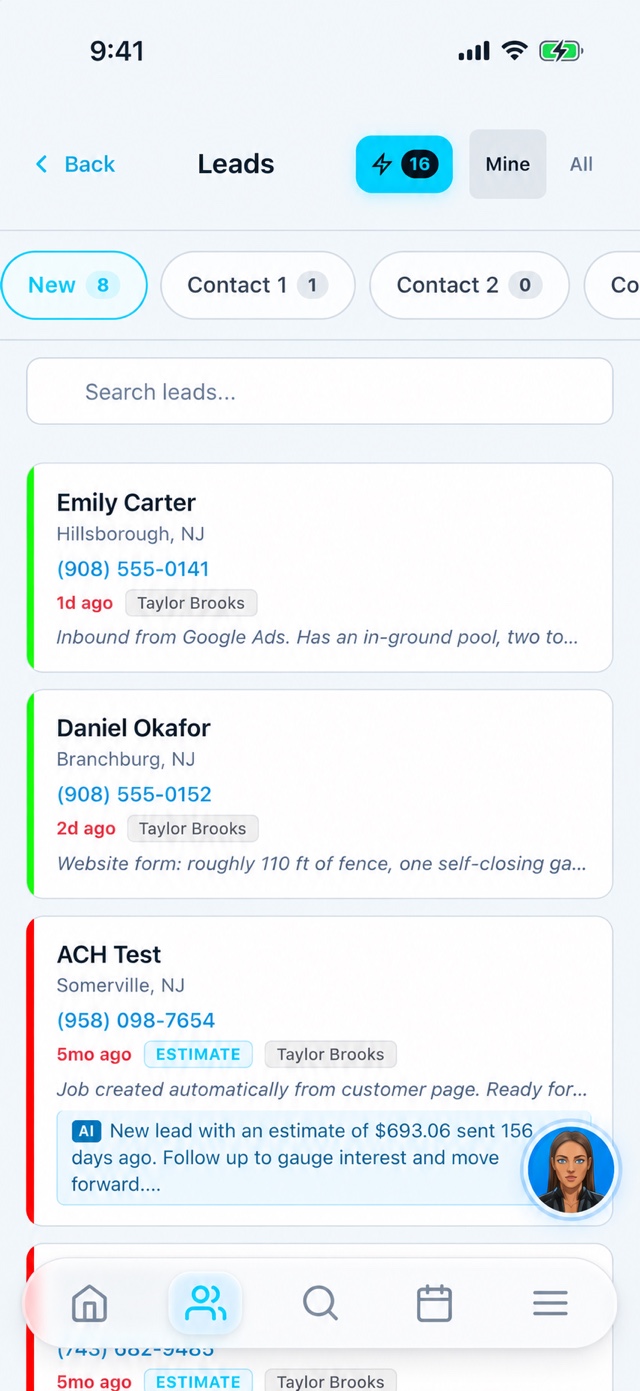
Record the notes and photos needed to prepare the proposed work. Check customer details before sharing an estimate or portal link. Use the supported job and estimate workflow, with the office helping where the task needs a larger screen or additional review.
Leave a clear follow-up
Record whether the customer needs a proposal, a revision, an answer, or another appointment. Update the lead or job accordingly so someone else can assist. For approved work, review the handoff requirements before promising an installation date.
Example: the office finishes the follow-up.
After a visit, the salesperson records an unanswered product question and the promised callback. The office can see the context and coordinate an answer. This illustrative routine shows how shared records support teamwork; it does not assume every salesperson has access to every feature or customer.
Keep the handoff clear
- Customer context before the visit
- Useful job notes while details are fresh
- Explicit follow-up and scheduling handoff
Before you get started.
Does the salesperson need a separate paid seat?
The published plans include unlimited users. Create an individual account and review the appropriate role and access for the salesperson.
Can the app replace every desktop task?
The phone supports field workflows, while some setup and deeper administrative work are better handled in the web CRM. Demo the specific sales tasks you need on the device you use.