Built for the truck, not the desk.
The Go Time app is the field half of the system: what's today, where it is, who the customer is, start the job, take the photos, get the signature, take the payment, clock out. Everything the crew does shows up in the office instantly, because it is the same account.
Five tabs. No training day.
Home, Leads, Search, Calendar and More. An installer learns it on the drive to the first job.
Home
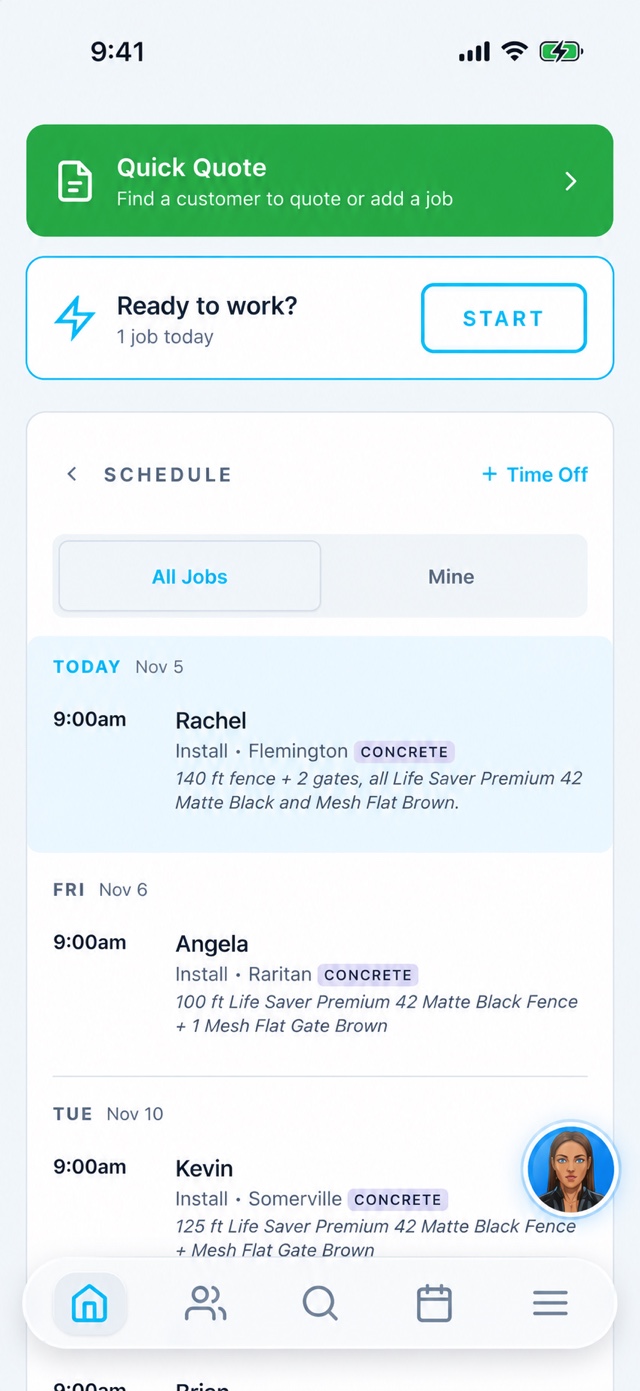
"Ready to work?" with today's jobs, a Start button that clocks you in with your location, Quick Quote to add a customer and job on the spot, and the schedule for the week — all jobs or just mine.
Leads
The same New → 1st → 2nd → 3rd contact lanes as the office, with the source, the note, a tap to call or text, and an AI summary of where the conversation stands.
Search
Customers, jobs and pages in one box. Type a last name, a street or a job number.
Calendar
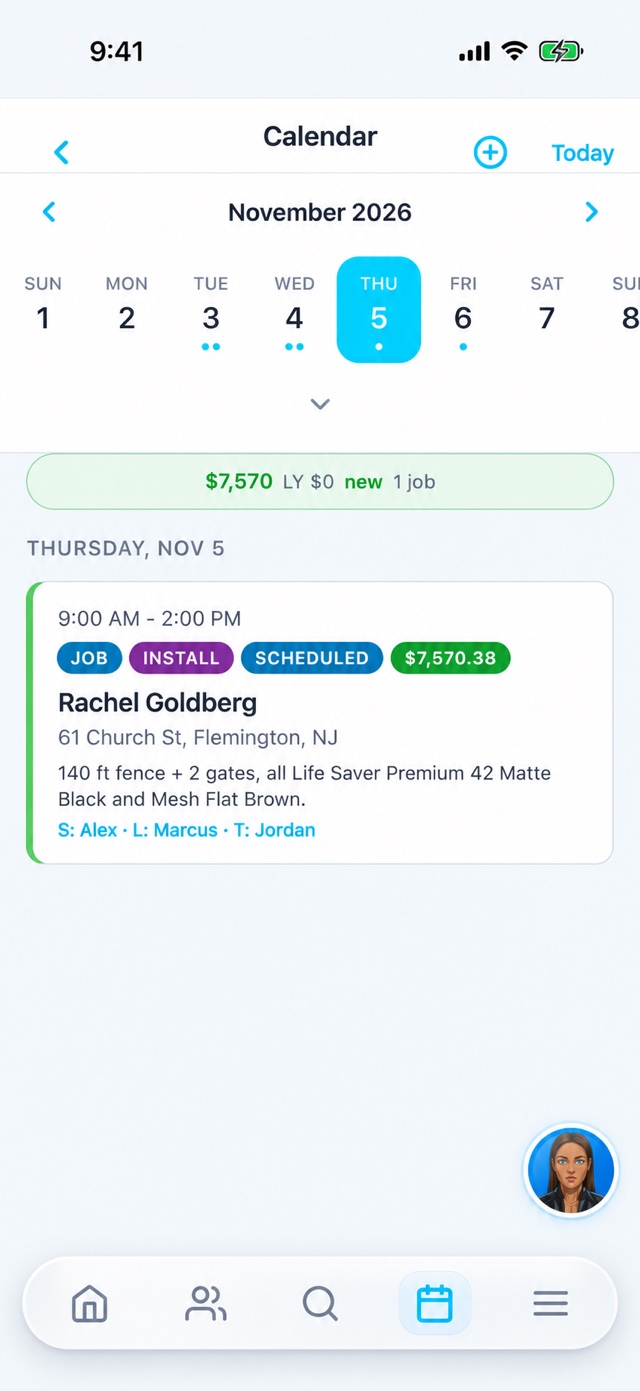
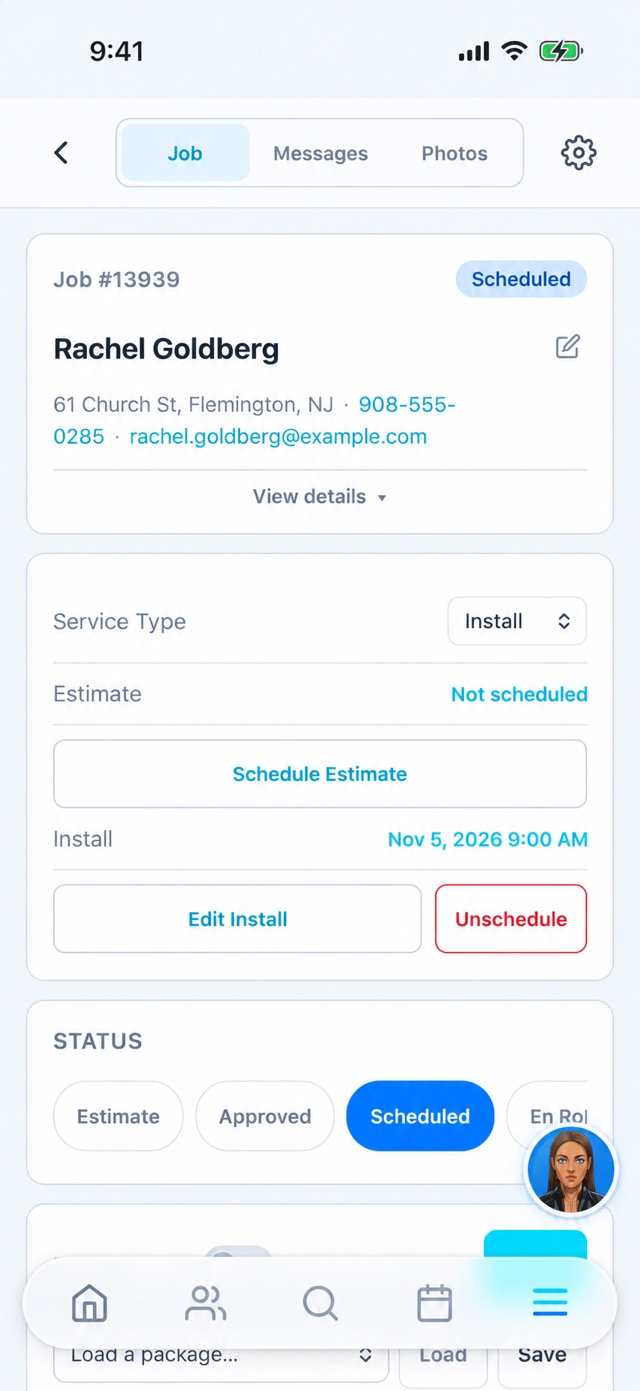
Month strip with job dots, the day's revenue vs. last year, and job cards that open the full job: status, estimate, install, photos, messages, contract, payment.
More
Dashboard, Jobs, Calls, Accounts Receivable, Map, Hours, Pay, Time Off, Log Expense, Settings, Account & Privacy — and the Full Site when you need the desk version.
Ava
The assistant floats on every screen. "Add a note to this job: customer wants the gate to swing out." Done.
Opens up when the phone does.
Go Time fills both displays of the iPhone Duo and re-flows as you fold and unfold. On the outer display and in landscape the tab bar moves into the side rail next to the status bar, the way Apple's guidelines ask — so the schedule gets the whole screen.
- Rail tab bar on the folded display; bottom bar when open in portrait
- Split View next to Maps or Messages on the inner display
- Built on the current iOS SDK with the scene lifecycle, not a stretched phone layout


Start. Photos. Signature. Payment. Finish.
- Start clocks you in and logs your location. Mark a job en route and the customer gets an "on my way" text with your ETA.
- Photos and videos go straight on the job — before, during, after — with approval flows for the ones that matter.
- Contract has to be signed before you can mark it finished. Skip it and the owner gets a text with your reason.
- Payment by card, ACH or a check photo, right there; the balance updates on the job.
- Finish asks whether the customer was happy, triggers the follow-up text, and the job turns green on the office calendar.
Location only while you're on the clock.
Location supports clock-in and crew visibility while you are on the clock. On Android, a persistent notification appears when location tracking is active, and tracking stops when you clock out. Camera, microphone and photo access support the job photos, videos and attachments you choose to add.
- Account & Privacy page in the app: see who you're signed in as, read the policy, request account deletion
- Screenshot feedback renders the app's own screen — it never reads your photo library
- Privacy policy · Support
Take a screenshot, send us feedback
On iPhone, take a screenshot anywhere in the app and Go Time offers to send it to our team with a note — "Something's wrong" or "An idea". It lands on our development board with the image, the page you were on and your app version, and we get notified immediately. Also in More › Send feedback with screenshot.
This is how most of the app got built: installers telling us what was annoying.
Put it on your crew's phones this week.
Go Time customers add users for free. New here? Book a demo and we'll set up your account and the app together.