Everything from the first call to the five-star review.
Go Time is one account with two front doors: the web app for the office and the iPhone app for the field. Here is what is inside, and what each piece is for.
Explore each part of the product.
Practical workflows, setup considerations, and common questions for the tools your team will use.
Scheduling & dispatch
Plan estimate appointments, assign install crews, and keep the workday visible with Go Time scheduling and dispatch.
Explore Scheduling & dispatch ProductLead management
Track inquiries, contact attempts, lead sources, and sales follow-up in the Go Time lead pipeline.
Explore Lead management ProductEstimates & contracts
Build estimates from your items, present Good / Better / Best options, and connect customer approval to the job in Go Time.
Explore Estimates & contracts ProductPayments & receivables
Track deposits, balances, card and ACH payments, and payment history against the job in Go Time CRM.
Explore Payments & receivables ProductCustomer texting
Use Go Time for two-way customer texts, appointment messages, reminders, and job communication history.
Explore Customer texting ProductCrew management
Give crews job context, mobile time entries, job photos, and visibility into their hours with Go Time.
Explore Crew management ProductReviews & feedback
Connect post-job customer feedback, team ratings, and follow-up with the completed work in Go Time.
Explore Reviews & feedback ProductAva assistant
Explore Ava’s in-product help and feedback, with organization-dependent access to additional CRM assistant tools.
Explore Ava assistant ProductReporting & visibility
Review revenue, payments, customers, job value, and lead sources with Go Time dashboards and reports.
Explore Reporting & visibility ProductCustomer portal
Let customers review estimates, choose an option, sign, and pay through the Go Time job portal.
Explore Customer portal ProductInventory & materials
Connect location-based inventory, upcoming job needs, and special-order planning with Go Time operations.
Explore Inventory & materialsA calendar that knows what the day is worth
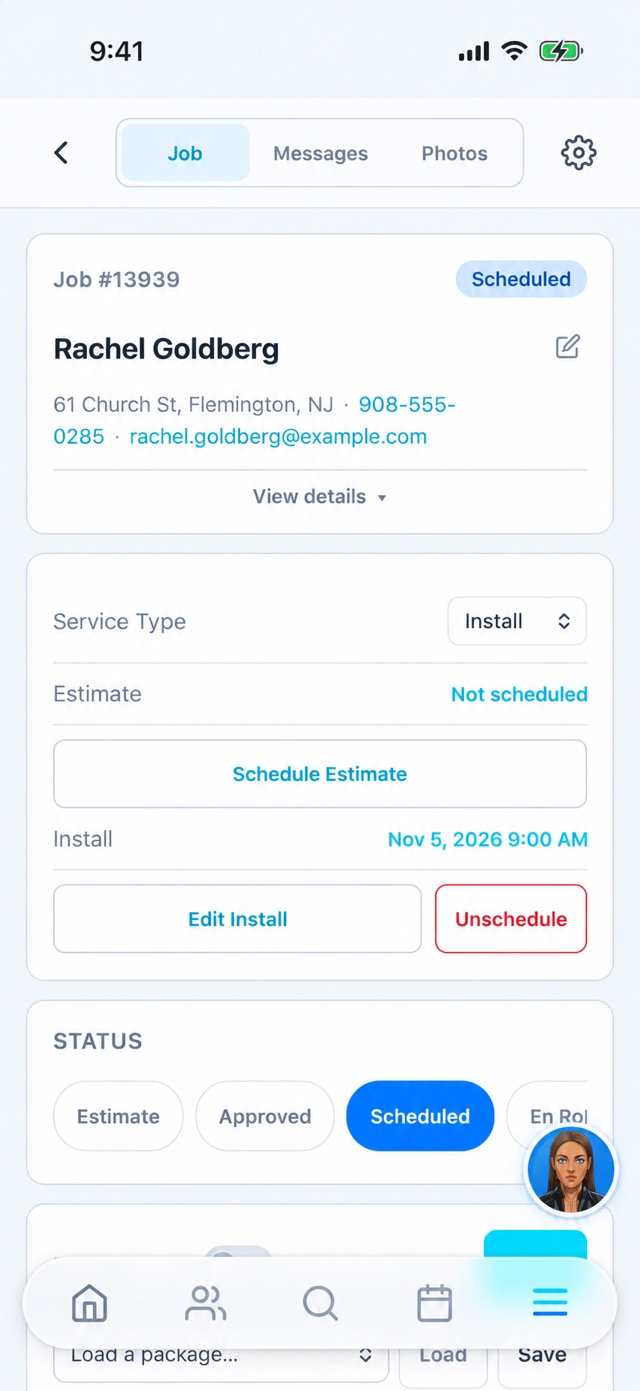
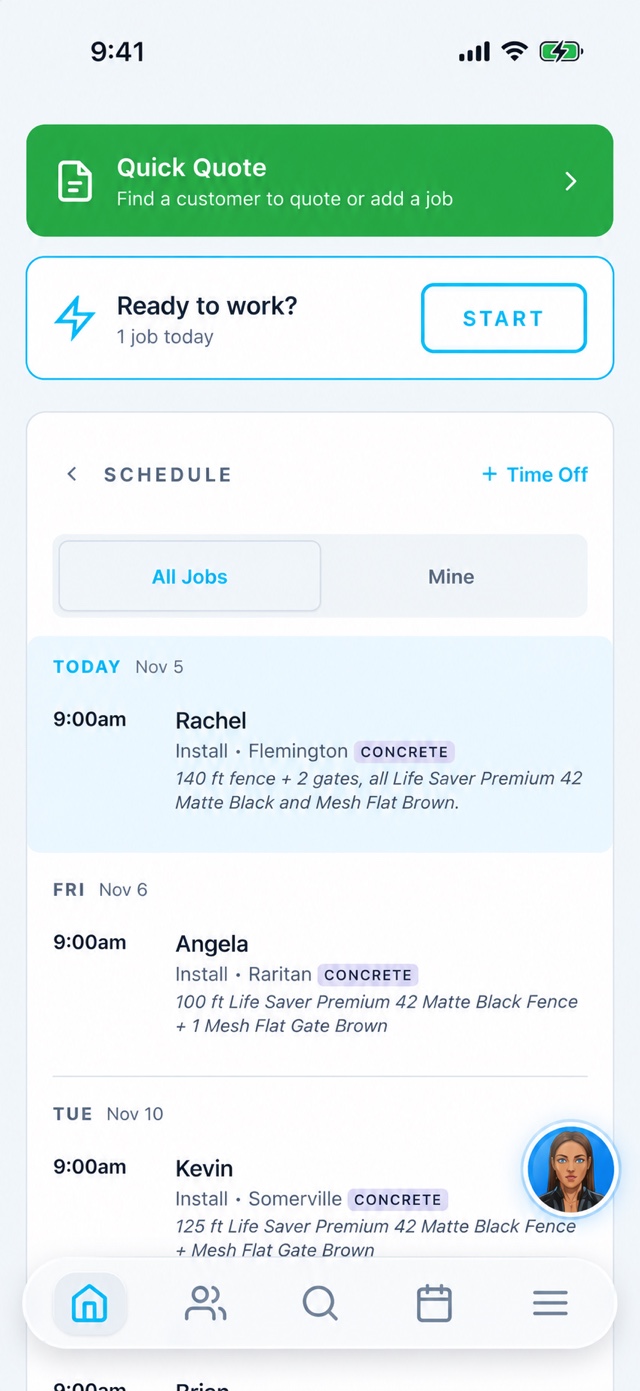
Day, week and month views show every estimate appointment and install window with the revenue booked per day and how it compares to last year. Assign a salesperson, a lead installer and techs to each job; the app shows each person only what is theirs.
- Drag a job to a new day — the customer's confirmation text goes out with the new time
- Estimate appointments and installs are separate events on the same job
- Time-off requests and view-only events sit on the same calendar
- Weather and last-year revenue per day, right in the grid

Every lead has a lane, and none of them are "later"
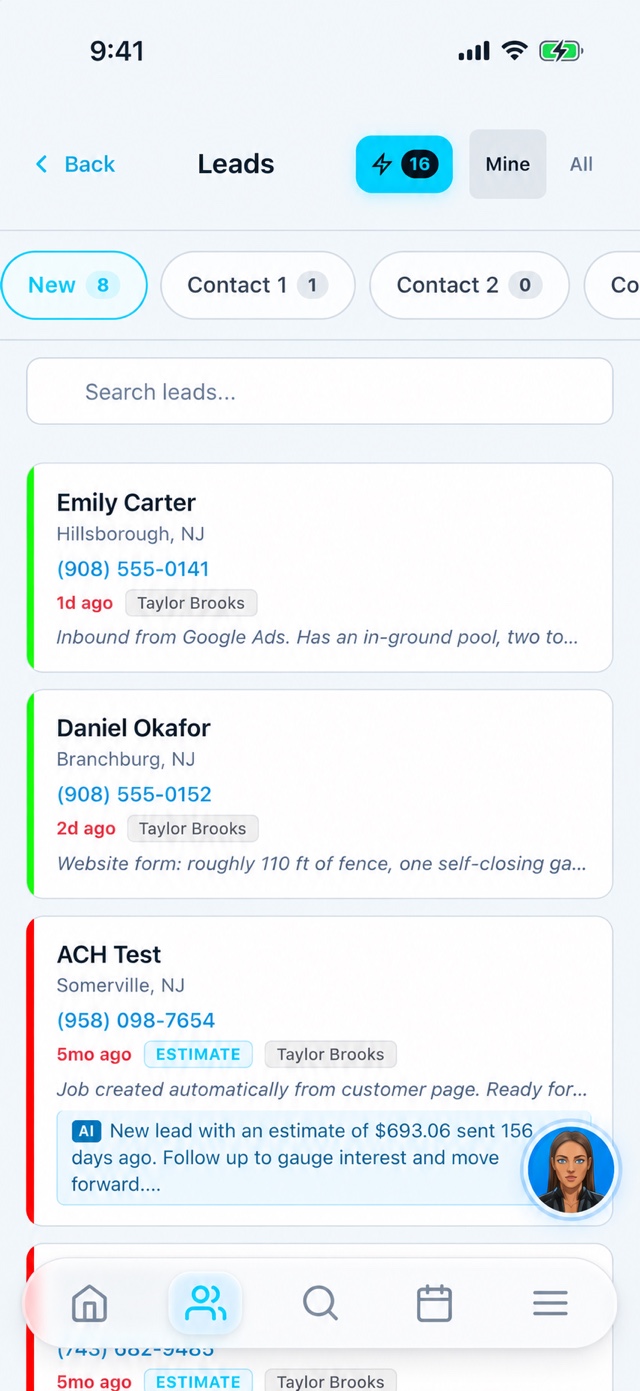
New leads land in the first column with where they came from — Google Ads, your website form, a CallRail or OpenPhone call — and move through 1st, 2nd and 3rd contact. Answered and no-answer are tracked separately, so you can see at a glance who still needs a real conversation.
- Catch Up queue: one tap to work through everyone who hasn't been contacted
- Call recordings and texts attached to the lead, not lost in a phone
- Lead-source spend and revenue so you know which ads actually pay
- Routing rules by territory or round-robin for multi-salesperson teams

Good / Better / Best, signed from the couch
Build estimates from your own SKUs with three tiers the customer can compare. They open a portal link, pick a tier, sign the contract and pay the deposit on the same page. A job cannot be marked finished in the app until the contract is signed — or the owner is texted why it was skipped.
- Customer portal, payment form and contract are one shareable link per job
- Deposits, second deposits and balance due tracked per job
- Before/after photos and videos from the crew live on the job
- Custom forms and special-order items when a job needs them

Get paid on the job, reconciled in the office
Take a card or ACH from the app or send a payment link. Checks are recorded with a photo. Fees, discounts, voids and refunds are tracked on the payment, and every job shows what is paid and what is still due. QuickBooks stays in sync both ways.
- Card and ACH processing with per-payment fee tracking
- Accounts receivable view for the field: who still owes on today's jobs
- QuickBooks Online sync for customers, invoices and payments
- Payments-by-month and revenue-vs-last-year on the dashboard

The texts you would send if you had time
Confirmation when a job is booked, a reminder the day before, "on my way" with an ETA when the crew marks en route, a follow-up when the job is finished and a review request after that. You write the templates once; Go Time sends them from your business number and logs every one on the job and the customer.
- Two-way texting from the job page, the lead card and the app
- Scheduled message cadences for leads that have gone quiet
- Per-org toggles for every automatic message type
- Message log with sent / scheduled / failed, searchable by customer

Know where the day went
Crews clock in from the Go Time app. While they are on the clock, GPS points are logged (only while clocked in — never in the background otherwise) and the office sees who is at which job. Hours roll into timesheets; pay can be tied to the jobs that were actually finished that week.
- Clock in / out with location and address, auto-generated entries from job starts
- My Hours and My Pay in the app so nobody waits for Friday to ask
- Team timesheets, time-off requests and employee expenses with receipts
- Crew map for dispatch while the app is open
Ask every customer. Route the answer.
After the job, the customer gets a short survey — overall rating, the install team, would they recommend. A five-star answer is sent straight to your Google review link. Anything less comes to you first, with the option for the owner to respond personally.
- Separate ratings for the sales side and the install team
- Your Google reviews pulled in and shown on your customer-facing pages
- Referral links customers can share from their portal
Ask for help where the work happens
Ava brings product guidance and feedback into the web and app experience. Broader CRM data and action tools are available only to eligible organizations and users. Review the experience for your own staff roles during a demo.
- Ask how to use a screen or complete a workflow
- Send feedback with context for the team
- Confirm organization and role access before relying on CRM actions
The numbers an owner actually checks
Projected revenue, revenue to date against last year, new customers, average job value, top revenue sources and payments by month — on one screen, filtered by today, 7 days, 30 days, 12 months or this year. Finances, pay and job reports go deeper when you need them.
- Projected vs. last year, with the gap shown plainly
- Marketing: revenue by lead source and campaign spend
- Inventory by location and special orders for jobs that need parts
- Payment heat map of where your revenue comes from
Also in the box
Integrations
QuickBooks Online, Google Calendar, CallRail, OpenPhone, CardPointe card & ACH payments, webhooks and Zapier, Bouncie vehicle tracking, and inbound email leads on your own address.
Roles that fit a crew
Owner / partner, salesperson, lead installer, tech and office roles each see what they need. Unlimited users on every plan — add the new guy on his first morning.
Multi-location & franchise
Dealers and franchises run separate territories under one roof, with shared leads, routing rules and white-label branding per location.
We migrate you
Customers, jobs and payment history from Housecall Pro or a spreadsheet. We did our own migration first; imported history is kept separate from new work so your reports stay honest.
Want to see a specific piece?
Tell us what your week looks like and we'll walk through exactly that.